
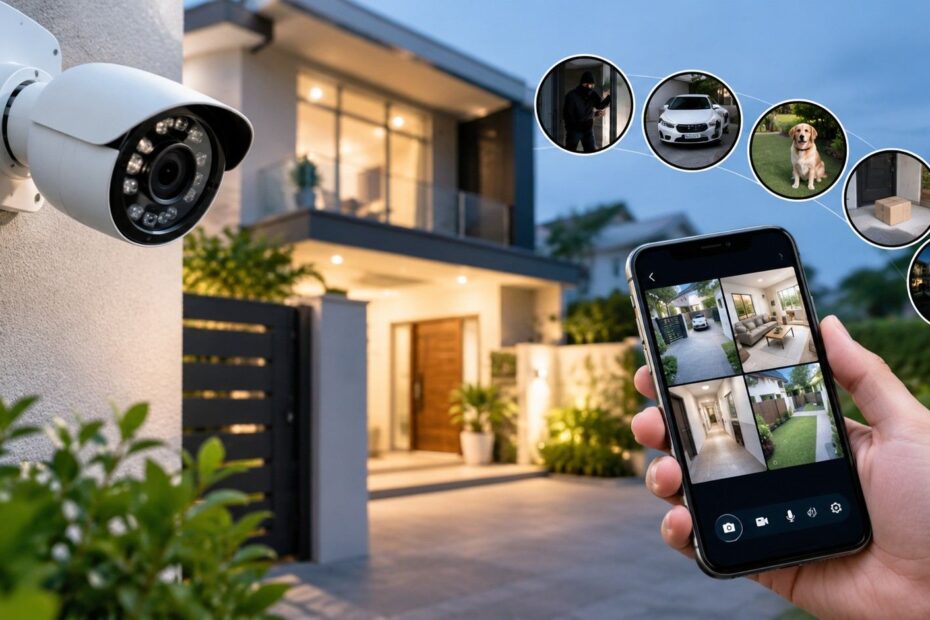
A missing parcel, a damaged gate or an unexpected knock can leave you wondering what happened outside your home. When no one witnesses the incident, finding answers can be difficult. Home CCTV installation can help you identify visitors, review recorded footage and monitor your entrance while you are away. However, the right setup depends on your home’s layout, daily routine and privacy needs.
You do not have to wait for a break-in to identify gaps in your home security. These ten signs can help you decide whether installing cameras would be beneficial. This guide also includes a complete setup checklist for Singapore homes, covering camera placement, storage, secure access and essential checks before installation begins.
Is Your Home Security Leaving Gaps?
A locked door is a good starting point, but it cannot show you what happens outside. A hidden side entrance or a poorly lit porch can leave parts of your property beyond your view.
These security gaps may become apparent when a parcel goes missing or you notice damage near your gate. However, they can also go unnoticed while you are at work or away on holiday. Without recorded evidence, determining what happened can be challenging.
Home CCTV can help you monitor these areas and review recorded events when needed. However, each camera should serve a clear purpose and be positioned appropriately. The following signs can help you identify where your home may need better coverage.
10 Signs Your Home Needs a CCTV Security System Today
Small problems around your home can reveal gaps in your security. These ten signs can help you decide whether cameras would meet a real need.
1. Parcels Keep Going Missing
Missing parcels can leave you wondering whether a delivery reached your doorstep. Footage from a camera near your entrance may show where the delivery driver left the package. It can also help you determine whether someone subsequently collected it.
2. You Notice Damage Around Your Entrance
Broken plant pots, scratches on your gate or marks near your door lock can raise concerns about your property’s security. Recorded footage may help establish when the damage occurred, giving you a useful starting point when investigating the incident.
3. Your Home Stays Empty for Long Hours
Work commitments and trips can leave your home unoccupied for extended periods. Remote viewing allows you to check your entrance using your phone, while recorded clips provide a record of activity you may have missed.
4. Unexpected Visitors Arrive While You Are Away
You cannot always answer the door or know who has visited while you are out. A security camera can record activity at your entrance during your absence. You can then review the footage to determine whether the visitor was a courier, service worker or someone unfamiliar.
5. Your Property Has Blind Spots
Side gates, back doors and hidden pathways can be difficult to monitor from inside your home. These areas may create gaps in your security coverage. Proper home CCTV installation can help address these blind spots by positioning cameras near important access points.
6. You Cannot See Your Entrance Clearly at Night
Poor lighting can make faces difficult to recognise after dark. A camera with suitable night vision can help you monitor activity near your entrance. However, test the footage under your property’s actual lighting conditions before choosing a model.
7. You Want to Check on Pets at Home
You may want to know whether your pets are comfortable while you are away. An indoor camera can help you monitor their usual surroundings and behaviour. Keep private areas outside the camera’s view and discuss camera placement with other household members.
8. A Recent Incident Left You Without Evidence
Theft or property damage can leave you uncertain about what happened. Clear recordings may help you reconstruct events and provide supporting information when making a report. However, cameras should complement other security measures, including reliable locks and adequate lighting.
9. Your Existing Camera Misses Important Moments
Blurry images, missing recordings and unreliable alerts can make your existing footage less useful. These problems indicate that your current setup may need attention. Before replacing the equipment, check the power supply, storage settings and network connection.
10. You Need Recorded Footage, Not Just a Live View
You may discover that an item is missing several hours after it disappeared. A live feed cannot show you what happened before you started watching. Recorded footage allows you to review earlier activity and investigate events around the time the item went missing.
Complete Home CCTV Setup Checklist for Singapore
Plan your home CCTV installation around your home’s layout and security needs. Use this checklist before fitting your cameras.
- Check HDB guidance, Town Council requirements or condominium rules.
- Keep neighbouring homes and private spaces outside the camera’s view.
- Cover entrances and blind spots with clear views of faces.
- Choose suitable indoor or outdoor cameras and test their night vision.
- Check power outlets, cable routes and Wi-Fi signal strength.
- Compare storage capacity, recording periods and cloud subscription fees.
- Use strong passwords, restrict access and update the software regularly.
- Test motion alerts, playback, timestamps and clip downloads.
- Confirm how recording works during internet outages, and check warranty coverage and technical support.
Common Mistakes to Avoid When Setting Up CCTV
Minor installation mistakes can result in missed events or unclear recordings. These four checks can help you maintain effective security coverage.
- Poor camera angles: Mounting cameras too high may make faces difficult to recognise. Test each camera’s view with someone standing near the entrance.
- Ignoring night footage: A clear daytime image does not guarantee useful recordings after dark. Review the footage at night before finalising the setup.
- Weak account security: Default passwords can expose your recordings to unauthorised access. Use unique passwords and enable two-step verification where supported.
- Too little storage: Recordings may be overwritten before you have a chance to review them. Choose sufficient storage capacity for the length of time you need to retain footage.
A final system test helps ensure your cameras capture the details you need and that recorded clips can be retrieved when necessary.
Conclusion
Missing parcels, hidden entry points and unclear night-time footage can reveal weaknesses in your home’s security. Home CCTV can help you review incidents and maintain useful records, but its effectiveness depends on careful planning and proper installation.
Clear camera angles, secure access and sufficient storage are all important. For Singapore homes, your setup should also comply with applicable property requirements and respect your neighbours’ privacy. Cameras work best alongside reliable locks, adequate lighting and regular maintenance checks. With these measures in place, your system can provide a clearer picture of what happens around your home, whether you are indoors or away for the day.